2026
YEARLY DENSITY LOG (0-5)
LOG
A pixel-matrix task ritual. Name five things. Time-box each one with a real-world Time Timer. When the red pie hits zero, it's done. A year of your density is drawn as a single dot grid. No account, no cloud, one HTML file.
ピクセルマトリクスのタスク儀式。5つに絞って名前を付け、Time Timer の赤い扇が消えるまで向き合う。 ゼロになった瞬間、そのタスクは完了。1年分のあなたの「密度」は1枚のドットグリッドになる。 アカウントもクラウドもなし、HTML一枚で完結。
In DDD you cannot check a task off. The only way to complete one is to start its timer and let it reach zero. No shortcuts, no self-forgiveness, no lying to the grid. The grid tells the truth for a whole year.
DDD ではタスクにチェックを入れられません。完了の唯一の経路は、タイマーを走らせて0までたどり着くこと。 近道も、甘やかしも、グリッドへの嘘もなし。1年単位の密度グリッドが、あなたの本当を描きます。
Five is the point. Extra ambition has nowhere to go but tomorrow.
5つで十分。余った野心は、明日に回す。
Task 2 stays locked until Task 1's timer hits zero. You can't skip ahead.
タスク1のタイマーが0になるまで、タスク2はロック。先回りは不可。
A red pie shrinks in real time. Zero = the only path to done.
赤い扇がリアルタイムで縮む。0になった時だけ完了。
365 dots. Each brightens 0→5 by your day's finished count.
365個のドット。その日の完了数で0→5段階に光る。
Floating, draggable panel. Type task 1 Read · start · stats.
フローティング・ドラッグ可能。task 1 Read・start・stats などで操作。
Everything lives in localStorage. Wipe the browser, wipe the ritual.
すべては localStorage の中。ブラウザを消せば、儀式も消える。
Three in-tab loops: bgm 1 ambient pad · bgm 2 lo-fi beat · bgm 3 rainfall. Rendered offline as WAV → plays through a real <audio> element so it keeps going when the screen locks on mobile.
3種のループ: bgm 1 アンビエント・パッド / bgm 2 ロウファイビート / bgm 3 雨音+ベル。オフライン合成→ <audio> 要素再生なので、モバイルで画面を消しても鳴り続ける。
A soft 2-tone bell marks every 15 min so long sessions don't vanish into the void. The final 10 seconds tick down with short square-wave pips — you feel zero approaching without looking.
15分経過ごとに優しい2音ベルが鳴り、長いセッションが意識から抜け落ちるのを防ぎます。最後の10秒は短い「ピッ」音のカウントダウン — 画面を見なくてもゼロが近づくのが分かります。
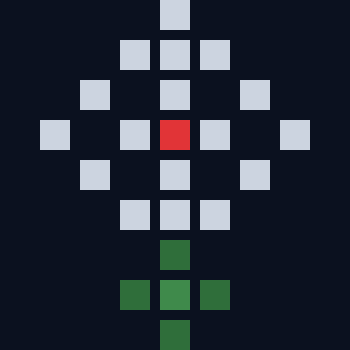
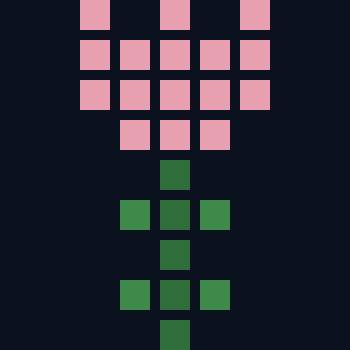
The small icon under LOG cycles through 7 pixel creatures — flower on MON, tulip TUE, sunflower WED, rose THU, then cat · bird · fish toward the weekend. A tiny calendar you feel rather than read.
LOG下部の小さなアイコンが7種を循環。月=花、火=チューリップ、水=向日葵、木=薔薇、そして週末に向け 猫・鳥・魚。読まずに感じる、ささやかな曜日感覚。
Sakura drifts in spring. Rain lines in June. Fireflies on summer nights. Red & gold maples in fall. Snow in winter. A sunrise glow for Jan 1-3. Six quiet atmospheres, all pure CSS — no images.
春は桜、6月は雨、夏の夜は蛍、秋は紅葉、冬は雪、元日〜3日は初日の出の赤い光。6つの静かな空気、すべて純 CSS で画像は使いません。
At 7 consecutive days small sparks scatter under the icon. At 30, a warm glow joins them. Set your birthday with birthday 12-25 and confetti rains that single day.
7日連続でアイコン下に小さな火花、30日で暖色のグローが加わります。birthday 12-25 で誕生日を設定すれば、当日だけ紙吹雪が舞います。
The tiny icon at the bottom of LOG is layered. A weekday base · a seasonal particle layer · a time-of-day mood · a milestone reward. All pure CSS — roughly 20 DOM nodes per layer. Open the app on different days and you'll meet different quiet weathers.
LOG下部の小さなアイコンはレイヤー構造。曜日ベース × 季節の粒子 × 時刻のムード × 連続記録のご褒美。すべて純 CSS、各レイヤーわずか20ノード程度。日を変えてアプリを開くたびに、違う静かな天気に出会います。





There is no such path by design. If the day went sideways, use RESET to clear today and start fresh tomorrow. The density grid respects that honesty.
設計上その経路はありません。うまくいかなかった日は RESET で今日をクリアして、明日やり直しましょう。密度グリッドはその正直さを尊びます。
No. DDD is a single static HTML file. All state is in localStorage. No analytics, no telemetry, no API.
出ません。DDD は1枚の静的HTMLで、状態は全て localStorage に保存されます。アナリティクスもテレメトリも通信先もなし。
Yes. After the first load, fonts and Tailwind are cached — you can disconnect and keep going.
はい。初回読み込み後はフォントとTailwindがキャッシュされるので、ネットを切ったまま使えます。
The grid shows a dim dot — which is the truth. A year of truth is more useful than a year of self-flattery.
グリッドにはほの暗いドットが残ります — それが真実。1年分の真実は、1年分の自己美化よりずっと役に立ちます。
Type bgm 1 (ambient pad), bgm 2 (lo-fi beat), or bgm 3 (rainfall + bells) in the terminal. bgm on resumes the last track, bgm off fades it out. All three are generated by the browser itself — no files are downloaded. First play renders a 20-second loop (a few hundred ms); subsequent plays are instant.
ターミナルに bgm 1(アンビエントパッド)/ bgm 2(ロウファイビート)/ bgm 3(雨音+ベル)と入力。bgm on で前回のトラックを再開、bgm off でフェードアウト停止。3種類ともブラウザが自前で合成していて、外部ファイルのダウンロードは一切ありません。初回だけ 20 秒のループを焼くのに数百ミリ秒、2 回目以降は瞬時に再生。
Yes. The audio is rendered to a WAV blob and played through a real <audio> element, so iOS and Android treat it like any media app — it survives the lock screen, tab switch, and even silent scroll in another app. MediaSession metadata shows "DDD · BGM" on the lock screen with a play / pause control.
はい。音声は WAV Blob にレンダリングされ、本物の <audio> 要素で再生されるため、iOS・Android ともに通常のメディアアプリと同じ扱い — ロック画面、タブ切替、他アプリ利用中でも鳴り続けます。ロック画面には MediaSession のメタデータで「DDD · BGM」と再生/一時停止が表示されます。
Yes — tap any task row in FOCUS and edit the text. The locked rows (tasks you haven't reached yet) and the currently-active task are both editable. Completed tasks are frozen.
できます。FOCUS のタスク行をタップして直接書き換え可能。現在アクティブな行と、まだ到達していないロック中の行は編集できます。完了済み行は凍結されます。
Yes. Tap the date line at the top of FOCUS to open a calendar and pick any future day. The 5 slots become a "planning" draft saved against that date; when the day arrives, they auto-load into your live FOCUS. Past days are read-only — the grid already recorded what happened.
はい。FOCUS 上部の日付をタップするとカレンダーが開き、未来の日を選べます。選んだ日の5枠は「計画」として保存され、当日になると自動で FOCUS にロードされます。過去の日は閲覧のみ — グリッドに記録された真実は動かせません。
Any 1–180 minute value via the terminal: dur 20, dur 90, etc. The four preset pills (15 / 25 / 45 / 60) are just the common cases. The clock face stays a 60-minute dial regardless — a 20-minute run renders as a wedge from 12 to the "20" position.
1〜180分の任意値をターミナルで指定できます: dur 20, dur 90 など。4 つのプリセット(15/25/45/60)はよくある値を置いているだけ。クロックフェースは常に 60 分ダイヤルで、20 分ならば 12 時から「20」位置までの扇として描画されます。
It's the "in progress" marker — visual confirmation that this is the task the TIMER will operate on. Only the first unchecked task shows it; all others show either a lock (future) or a check mark (done).
「実行中」マーカーです — タイマーがこのタスクを対象にしていることの目印。最初の未完了タスクにだけ点き、それ以外は鍵(未来)かチェック(完了)のいずれかが表示されます。
Two things. (1) A soft 2-tone bell marks every 15-minute milestone — 15, 30, 45 — so a 60-minute session has three checkpoints. (2) The final 10 seconds tick down with short square-wave pips (one per second, from 10 to 1). The 0-second instant itself is silent; the task-complete toast takes over. If a 15-min boundary coincides with completion, the chime is suppressed to avoid double-feedback.
2種類です。(1) 15分ごとに優しい2音ベル(15 / 30 / 45 分)— 60分セッションなら3回のチェックポイント。(2) 最後の10秒は短いピッ音のカウントダウン(10→1 を毎秒1回)。0秒ジャストは無音で、完了トーストに譲ります。15分境界がタイマー終了と一致する場合、チャイムは省略されて重複を回避します。
Foreground only. The chime/countdown are driven by setInterval, which iOS and Android throttle heavily (sometimes to once per minute) when the tab is backgrounded. The BGM still plays through the lock screen — but for crisp timer alerts, keep the DDD tab visible. Primary use: start a session, leave DDD frontmost on a second monitor or your phone propped up.
フォアグラウンドのみです。チャイムとカウントダウンは setInterval 駆動で、タブがバックグラウンドに行くと iOS・Android は大幅に間引きます(時には1分に1回まで)。BGM はロック画面越しでも鳴り続けますが、タイマーの音は DDD を前面に出しておくのがおすすめ。サブディスプレイやスマホ立て掛けなどで可視化しておく用途が基本です。
A weekday pixel creature, layered with seasonal / time-of-day / milestone effects. MON flower → TUE tulip → WED sunflower → THU rose → FRI cat → SAT bird → SUN fish. On top: sakura (Mar-Apr), rain (Jun), fireflies (Jul-Aug nights), maple (Oct-Nov), snow (Dec-Feb), sunrise glow (Jan 1-3). Plus night sky (22-05h), dawn warmth (05-08h), streak sparks (≥7 days), streak glow (≥30 days), birthday confetti. See the LOG DECOR section above for the full live catalog.
曜日のピクセルクリーチャーに、季節 / 時刻 / 記念日のレイヤーが重なっています。月:花 → 火:チューリップ → 水:向日葵 → 木:薔薇 → 金:猫 → 土:鳥 → 日:魚。その上に: 桜(3-4月)、雨(6月)、蛍(7-8月の夜)、紅葉(10-11月)、雪(12-2月)、初日の出(1/1-3)。さらに夜空(22-5時)、朝焼け(5-8時)、連続記録の火花(7日〜)、グロー(30日〜)、誕生日の紙吹雪も。上の LOG DECOR セクションにフルカタログあり。
The streak is the longest unbroken chain of days where at least one task was completed, counting back from today. Miss a day and it resets. For the birthday confetti, type birthday 12-25 (MM-DD) in the terminal — stored in localStorage only, never sent anywhere. Use birthday off to clear it.
連続記録は「今日からさかのぼって、1タスク以上完了した日が連続で続いた最長の日数」です。1日でも空けるとリセット。誕生日の紙吹雪は、ターミナルに birthday 12-25(MM-DD)と入力すれば設定完了 — localStorage のみに保存、外部送信は一切なし。解除は birthday off。